Features
Feedback and support
Feedback and support help Devmaniac improve through real user problems, bug reports, feature ideas, support tickets, and honest suggestions from builders using the platform.
Devmaniac is still growing, so feedback is not just a side feature. It is part of how the product gets better.
What is feedback on Devmaniac?
Feedback is where users can share ideas, suggestions, complaints, product confusion, feature requests, and improvement notes.
Good feedback helps explain what feels useful, what feels confusing, what is missing, and what would make users more likely to keep building on Devmaniac.
Feedback can include:
- Feature ideas
- UX suggestions
- Confusing page flows
- Missing documentation
- Design improvement ideas
- Product positioning confusion
- Requests for better project tools
What is support on Devmaniac?
Support is for problems that need help or attention.
A support ticket is useful when something is broken, blocked, confusing, or not working as expected.
Support can include:
- Bug reports
- Account issues
- Profile problems
- Project creation issues
- Image upload problems
- Sync errors
- Broken links or broken pages
- Questions about how to use a feature
Feedback vs support
Feedback and support are related, but they are not the same thing.
| Feedback | Support |
|---|---|
| Used for ideas and suggestions | Used for problems and help requests |
| Helps improve the product direction | Helps fix or understand specific issues |
| Can be about future improvements | Usually about something happening now |
| Example: “Add better project discovery.” | Example: “I cannot upload my profile image.” |
| Useful for product planning | Useful for troubleshooting and bug fixing |
When to send feedback
Send feedback when you have an idea, suggestion, or observation that could make Devmaniac better.
Good feedback examples:
- The difference between live projects and finished projects is unclear.
- The onboarding guide should explain project journals earlier.
- Profiles should show the current build more prominently.
- Live projects should support better image galleries.
- There should be a way to follow project updates.
- The project creation flow feels too long.
Feedback does not need to be perfect. It just needs to be honest and useful.
When to open a support ticket
Open a support ticket when you are stuck or something is not working.
Good support ticket examples:
- I cannot complete onboarding.
- My profile image is not updating.
- My live project is not saving.
- I see a user sync failed message.
- A project page returns an error.
- The bookmark button does not work correctly.
- I found a broken link in the docs.
If the issue blocks you from using Devmaniac, support is the better place to report it.
How to write useful feedback
Useful feedback gives context.
Instead of writing:
This is confusing.
Write:
The create menu is confusing because I was not sure whether to choose a live project or a finished project. A short explanation beside each option would help.
That is much easier to act on.
Good feedback usually includes:
- What page or feature you used
- What felt confusing or useful
- What you expected to happen
- What improvement you suggest
- Why the change would help
How to write a useful support ticket
A useful support ticket explains the problem clearly.
Include:
- What you were trying to do
- What happened instead
- The page or feature where it happened
- Any error message you saw
- Steps to reproduce the problem if possible
- Screenshots if they help explain the issue
A support ticket like this is strong:
I was trying to create a live project. After filling the title, goal, and tech stack, I clicked submit, but the project did not save. I was on the live project creation page. I did not see a success message. This happened twice after refreshing.
That gives enough detail to investigate.
Common issue: user sync failed
If you see a User syncing failed message during signup or onboarding, refresh the page once.
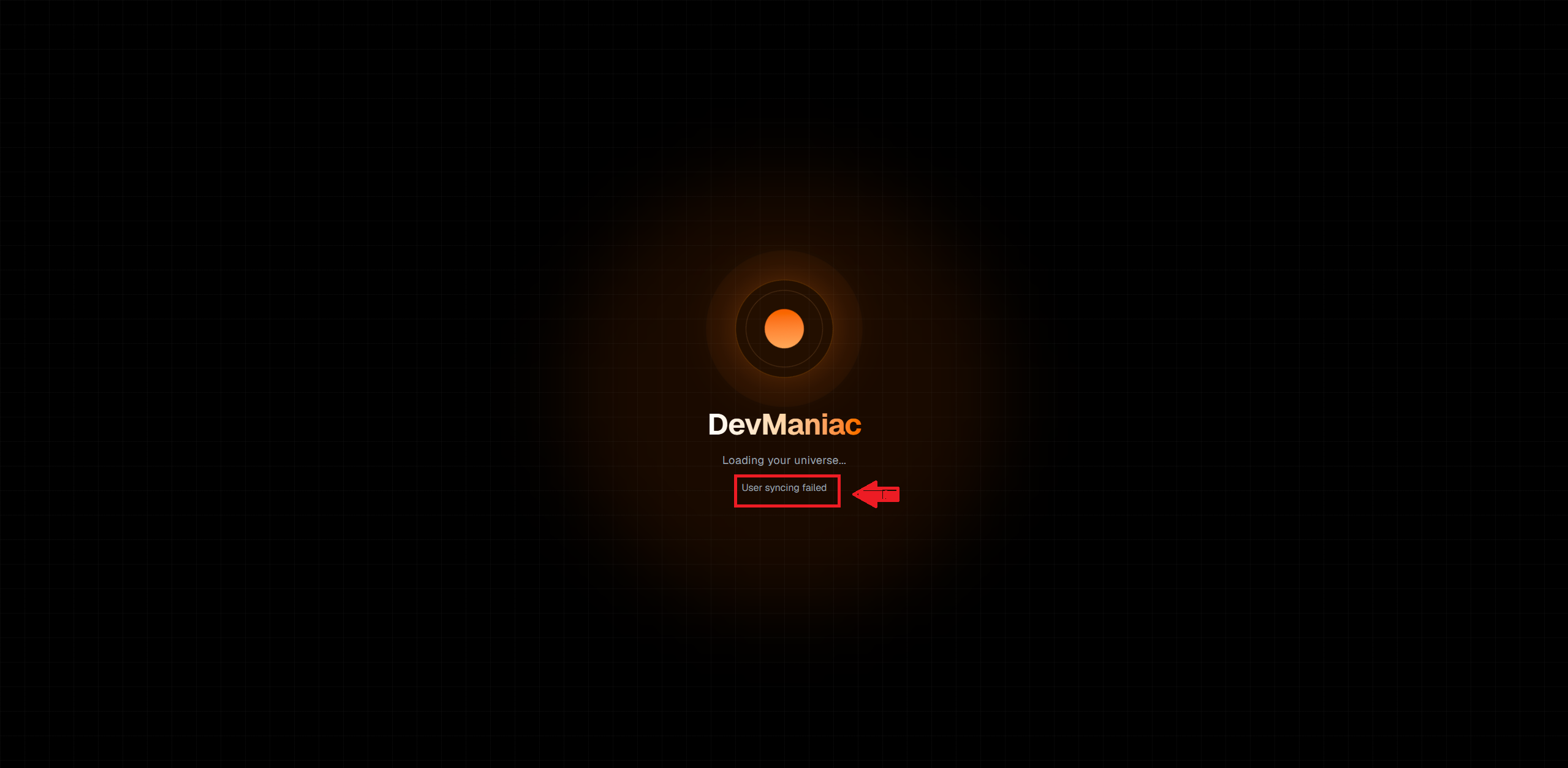
In most cases, refreshing lets the account sync finish and you can continue normally.
If the message still appears after refreshing, sign out, sign in again, and try continuing onboarding from your profile page.
Why user feedback matters
Devmaniac is built for real developers, students, self-taught builders, hackathon builders, and people documenting real work.
That means the product should improve from actual usage, not only from guesses.
Feedback helps reveal:
- Which features are useful
- Which flows are confusing
- Which pages need better explanation
- Which bugs affect real users
- Which features should be prioritized next
Early feedback is especially valuable because it shapes the foundation of the product.
How feedback becomes product improvement
Feedback is most useful when it turns into action.
A feedback loop can look like this:
- A user reports confusion or suggests an improvement.
- The issue is reviewed and grouped with similar feedback.
- A change is planned or prioritized.
- The product, docs, or UI is improved.
- The improvement is documented through updates or changelogs.
Not every suggestion will become a feature immediately. But repeated feedback patterns are strong signals.
What not to include
Do not include sensitive information in feedback or support messages.
Avoid sending:
- Passwords
- API keys
- Database URLs
- Private tokens
- Payment information
- Private user data
- Anything you do not want visible to the support team
Describe the issue clearly, but do not leak secrets. Debugging should not become self-destruction with extra steps. 😭
Simple feedback template
Use this when sending product feedback:
I was using [feature/page]. I noticed [problem or suggestion]. I expected [expected behavior]. I think [suggested improvement] would help because [reason].
Example:
I was using the onboarding guide. I noticed the profile setup and guide steps felt scattered. I expected the onboarding section to stay simple, then explain the profile section after. I think separating onboarding from profile best practices would help because new users need a cleaner first flow.
Simple support ticket template
Use this when reporting a problem:
I was trying to [action]. I expected [expected result]. Instead, [actual result]. This happened on [page/feature]. The error message was [error message]. Steps to reproduce: [steps].
Example:
I was trying to complete onboarding. I expected my profile to sync and continue to the next step. Instead, I saw “User syncing failed.” This happened on the onboarding page. I refreshed once and the issue was resolved.
Common mistakes
Avoid these mistakes when sending feedback or support requests:
- Writing only “it does not work”
- Not mentioning which page has the issue
- Not explaining what you expected
- Sending screenshots with no context
- Mixing multiple unrelated bugs into one unclear message
- Sharing private credentials or secrets
- Getting angry without describing the actual problem
The clearer the report, the faster it can be understood.
The core idea
Feedback and support should answer:
What happened, what did I expect, and what information would help improve or fix it?
Clear feedback helps Devmaniac become better for every builder using it.